Sooner or later it happens: someone arrives in a rush and forgets to clock in, or heads home without clocking out. A one-off slip is no drama, but without a clear procedure for correcting it, your working time record fills up with gaps and patch-ups that nobody can explain. In this article you will find what to do in each case, how to document the correction and which measures reduce missed clockings.
Why a missed clocking matters more than it seems
Article 34.9 of the Estatuto de los Trabajadores (Spain's Workers' Statute) requires the company to ensure a daily record of working time, showing each person's start and finish times. The obligation lies with the company, even though each employee does the clocking. If a clocking is missing, the record for that day is incomplete.
A single missed clocking can simply be corrected. The problem arises when:
- Missed clockings keep recurring and are always filled in with the scheduled time, without checking the actual one.
- Corrections are made weeks later, when nobody remembers what time each person left.
- There is no trace of who corrected the data or why.
A record full of unexplained corrections loses its value: it is of no use to either the company or the employee as proof of how many hours were actually worked.
The three most common slips
Forgetting to clock in
This is the easiest to spot if someone checks who is working first thing in the morning. If the person is at their post but no start time is recorded, the usual approach is for them to record it as soon as they realise, or to tell their manager the actual time so that it can be noted down.
Forgetting to clock out
This is the most frequent and the most delicate, because the working day is left open. If nobody corrects it, the day has no finish time or shows an impossibly long shift of many hours. You need a clear rule for closing these days and a way to adjust the time if the actual one was different.
Clocking twice or clocking the wrong way round
Someone clocks in twice, or clocks out thinking they were clocking in. This happens mostly in the first few days with a new system. It is solved by reviewing the day with the person and leaving the correct sequence.
How to correct a clocking without undermining the validity of the record
The law does not set a specific procedure for correcting clockings, so it is best for your company to define one and, if your collective agreement or a company agreement regulates it, to follow what it says. A reasonable procedure:
- Correct it as soon as possible. The same day or the next. The more time passes, the less reliable the time recorded.
- Use the actual time, not the scheduled one. If the person left at half past seven, that time is recorded even if their schedule says otherwise.
- Have the person confirm it. The correction should be made with their knowledge. Ideally, they are the ones who give the time and can see how their working day ends up.
- Keep a record of it. Note who made the correction, when and why. An email, a request in the app or a note in the record itself will do, as long as it can be consulted later.
- Don't erase the trail. If the system allows it, keep the original data alongside the corrected data.
What you should avoid
- Filling every gap with the scheduled time. If the same exact times appear every day, the record looks like a copied timetable, not a real record.
- Correcting without telling the person. It breeds mistrust and disputes, especially if the correction reduces hours.
- Penalising the first slip. It is better to find out first why it happens: the clocking point may be badly placed or the system may be awkward to use.
- Leaving days open to “deal with later”. By the end of the month nobody will remember anything.
- Clocking in for someone else. Even with good intentions, it destroys the reliability of the record. Everyone clocks their own time.
How to reduce missed clockings
Missed clockings fall sharply when clocking is quick and close at hand. Some measures that work:
| Cause of the slip | Measure |
|---|---|
| Clocking is slow or requires passwords | A one-step system: a tap on the phone or holding up a key fob |
| The clocking point is far from the workstation | Place the terminal on the natural route in and out |
| There is no signal where the working day starts | A system that allows offline clocking and syncs afterwards |
| Nobody notices until the end of the month | Check every day who has clocked and who hasn't |
| The person cannot see their own record | Let everyone view their own working days and spot their own slips |
It also helps to explain to staff what the record is for. Once people understand that it protects their hours too, clocking stops being seen as a formality.
Checklist for your procedure
- It is in writing and staff know about it.
- It says who can correct a clocking and how this is communicated.
- It sets a short deadline for reporting a missed clocking.
- It requires the actual time to be used and the reason to be documented.
- It provides for what happens with days left open.
- It has been discussed with employee representatives, if there are any.
How Gesthoras solves it
In Gesthoras, if someone forgets to clock out, the working day is closed automatically at the time assigned to it, and that time can be changed. This way there are no open working days or impossible days in the record. It works the same way if clocking is done with the RecLog terminal.
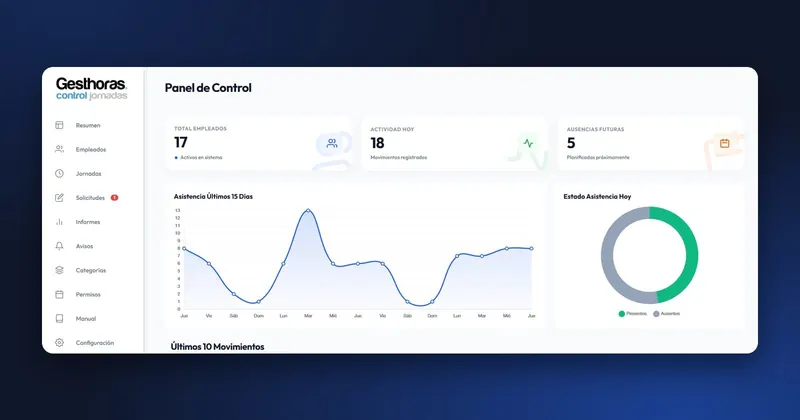
So that missed clockings are spotted early, attendance control shows in real time who is working, who has finished their day and who hasn't turned up. Each person can check their working days from the app, with the hours for each day, so they can spot their own mistake without waiting to be told. And since the app clocks offline and the terminal works with or without internet, a lack of signal is no excuse for not clocking.
You can find it explained in real-time attendance control and in the frequently asked questions.