If part of your workforce starts the day away from the office, on a building site, at a customer's premises or on the road, knowing where each person clocked in answers a lot of questions. The question is how far you can go without invading their privacy. Recording location when clocking in is legal in Spain, but with conditions: it must be justified, proportionate, and your staff must know about it beforehand. In this article we review what the rules say, which uses are reasonable and which could cause you problems.
What the law says about geolocation at work
The main reference is article 90 of Ley Orgánica 3/2018, de Protección de Datos Personales y garantía de los derechos digitales (LOPDGDD, Spain's Organic Law on Personal Data Protection and the guarantee of digital rights). It says two things:
- The company may process geolocation data obtained from devices in order to exercise the monitoring functions recognised in article 20.3 of the Estatuto de los Trabajadores (Spain's Workers' Statute), always within its legal framework and subject to the limits inherent in that monitoring.
- Before using such data, it must inform employees, and where applicable their representatives, expressly, clearly and unambiguously about the existence and characteristics of those devices. It must also inform them of their rights of access, rectification, restriction of processing and erasure.
The Estatuto de los Trabajadores itself sets out in its article 20 bis the right to privacy in relation to geolocation, under the terms of data protection legislation. And above all of this sits the General Data Protection Regulation, which requires, among other principles, data minimisation: processing only data that is adequate, relevant and limited to what is necessary for the purpose.
There is no rule that says "you may geolocate clocking in" or "you may not". What exists are limits: a clear purpose, proportionality and prior information. If you meet those three, you are on firm ground.
When it makes sense to record location when clocking in
The working time record requires you to log each person's start and finish time every day (article 34.9 of the Estatuto de los Trabajadores). Location is not part of that minimum content. So, before activating it, ask yourself what specific problem it solves.
Situations in which it is usually justified:
- Work away from the workplace: staff who start their day on building sites, at customers' premises or at different service points, where there is no fixed place to clock in.
- Checking that clocking in happens where it should: that the person clocking in does so on arriving at their post and not from home half an hour earlier.
- Avoiding check-up calls: if someone has to phone every morning to confirm who has arrived at each site, recording the starting point is less intrusive than those calls.
Situations in which it is harder to justify:
- Staff who always work at the same site, where a fixed terminal at the entrance already guarantees that clocking in happens there.
- Remote working from home: the location would simply be the person's home, and that rarely adds anything to the working time record.
One-off clock-in versus continuous tracking
The big difference is between recording where someone was at the moment of clocking in and tracking their position throughout the working day. The former is a one-off data point linked to a specific act. The latter is permanent surveillance that requires a much stronger justification and that, in most cases, has nothing to do with recording working hours.
| Use of location | Level of intrusion | Comment |
|---|---|---|
| Point from which clock-in is made | Low | One-off data point, linked to the working time record. Easy to justify if there is work away from the workplace. |
| Clock-in and clock-out points | Low or medium | Reasonable if the place where the day ends is also relevant. Assess it case by case. |
| Position throughout the working day | High | Requires a different and well-justified purpose. It is not needed to record working time. |
| Position outside working hours, during breaks or on holiday | Very high | Hard to fit within workplace monitoring. Avoid it. |
The Agencia Española de Protección de Datos (Spanish Data Protection Agency) has a guide on data protection in employment relationships that covers geolocation and working time monitoring. If you are going to implement it, it is worth reading it with your adviser or your data protection officer, if you have one.
Checklist before activating it
- Define the purpose in writing. For example: "to check that the start of the working day is recorded at the assigned workplace". A specific purpose helps you decide which data you need and which is surplus.
- Limit the data to the minimum. If location at clock-in is enough, do not collect more. Do not activate it for anyone who does not need it.
- Inform before you start. The information must be express, clear and unambiguous: what is recorded, when, what for, who sees it, how long it is kept and how to exercise rights. Preferably in writing, with proof of delivery.
- Involve the legal representatives. Article 90 expressly mentions informing representatives too, where there are any. In addition, the way the working time record is organised is decided through collective bargaining, a company agreement or, failing that, by the company after consulting them.
- Review your record of processing activities. Geolocation is one more processing activity and must appear with its purpose, legal basis and retention period.
- Consider whether you need an impact assessment. It depends on the scope of the processing. If in doubt, consult whoever advises you on data protection.
- Decide who can access the data. Not every manager needs to see the location of the whole workforce. Limit access to those who need it.
Common mistakes
- Activating it "just in case". Without a clear purpose, it is hard to argue that the data is necessary.
- Informing afterwards. The information must be given before the system is used, not when a dispute arises.
- Using location for other purposes. If you said it is used to check where clocking in takes place, do not use it for anything else without reassessing and informing again.
- Forgetting personal devices. If the person clocks in with their own mobile, explain clearly what the app collects and when. Making it work only at clock-in provides reassurance.
- Keeping data with no time limit. The working time record is kept for four years, but that does not mean any associated data should be kept indefinitely. Set a retention period.
How Gesthoras approaches it
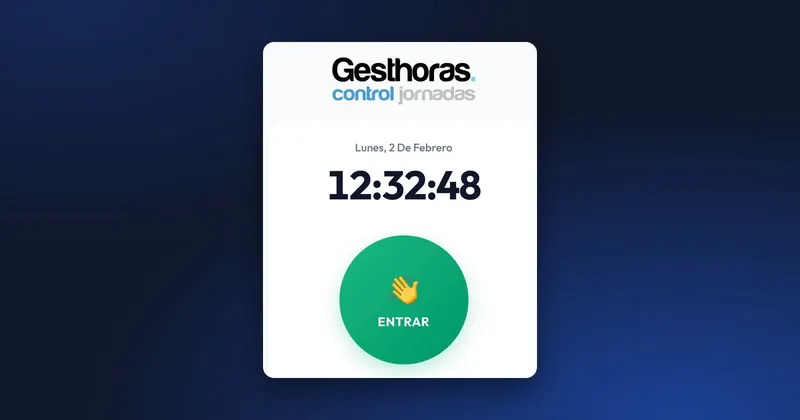
Gesthoras automatically records the starting point of the working day when the person clocks in from their mobile, computer or a QR code. It does not track anyone throughout the day: the app applies data minimisation, collects only what is needed for the record and lets you configure geolocation in a limited and justified way.
For staff who always work at the same site you can use the RecLog terminal with NFC key fobs: the person clocks in at the wall unit at the entrance and the place is already clear without needing location. And if you combine both systems, each post clocks in in the way that makes most sense.
You will find the details of clocking in with location on the page about clocking in from mobile, computer or QR, and what the law requires of the record in mandatory working time record.